The main function
Forecast: the balance you will actually have
Author: Davyd Dikenshtein Reviewed on
The forecast projects how much money will remain at the end of your budget period, after every commitment already entered has been paid. It is not your account balance and not a spending plan: it is the arithmetic of what is genuinely left, expressed as a single figure and as a safe amount per day.
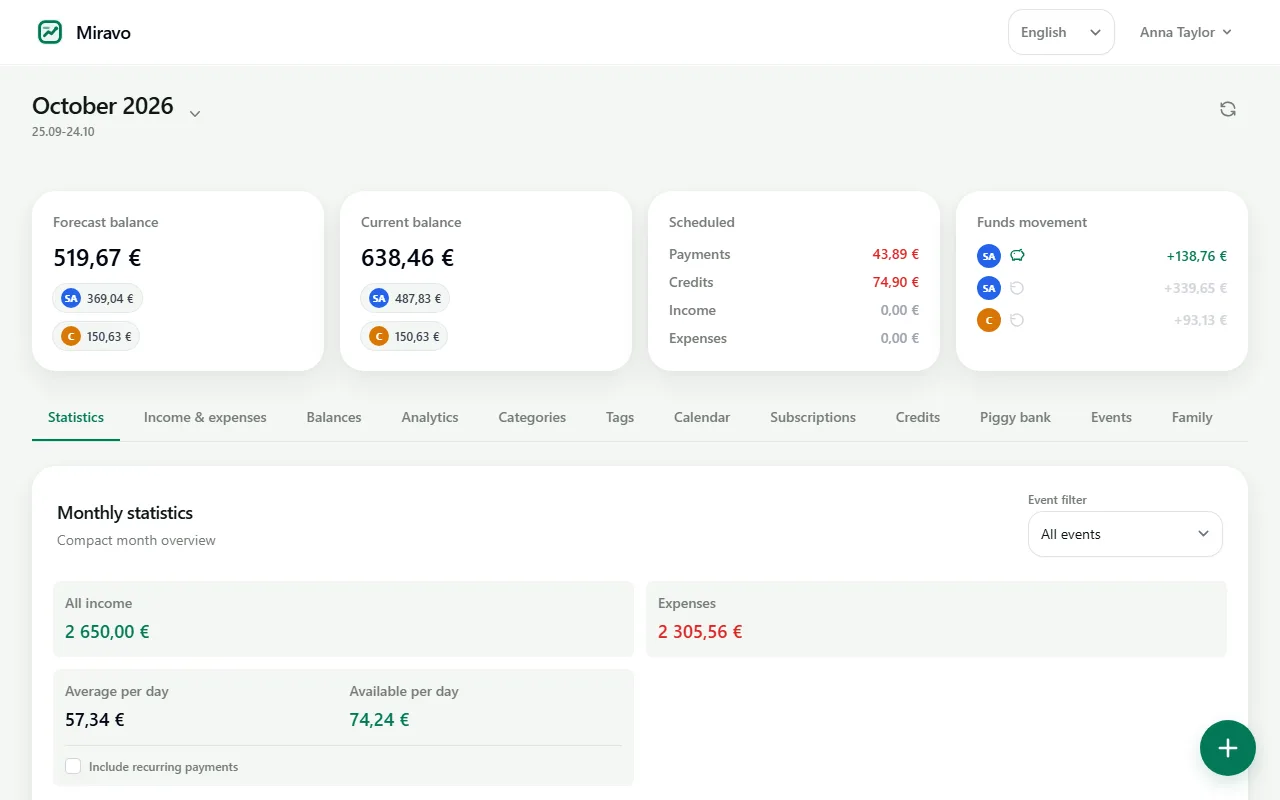
Example with numbers
Salary on the 25th, rent on the 1st: this is how Miravo arrives at the amount per day.
| Balance on the 25th, salary included | €2,450 |
|---|---|
| Rent | −€980 |
| Electricity and internet | −€95 |
| Phone contract | −€25 |
| Loan instalment | −€180 |
| Into the savings pot | −€150 |
| Free to spend until the next salary | €1,020 |
| Safe to spend per day (30 days) | €34 |
Example values. In the app the figures come from your own accounts and payments.
Why the balance in your banking app misleads you
The number your bank shows is a record of the past: money that arrived and has not yet left. On the 12th of the month it looks generous. It knows nothing about the rent leaving on the 1st, the instalment on the 20th, or the annual subscription renewing on the 28th.
So the same account can look comfortable and be fully committed at the same time. The gap between those two states is where overdrafts and end-of-month panic come from, and no amount of expense categorisation closes it, because categorisation only describes what already happened.
How the forecast is produced
-
Step 1
Enter what you hold and what you owe
Account balances, expected income, recurring bills, instalments, subscriptions and any one-off payment you already know about.
-
Step 2
Everything dated inside the period is subtracted
Commitments falling due before the period ends are removed from the total, including money set aside in savings pots.
-
Step 3
The remainder becomes a daily figure
What is left is divided across the days remaining, so the answer arrives in the form you can act on at the till.
How this differs from expense tracking
An expense tracker answers "where did it go". A forecast answers "what is left once everything I have committed to has happened". Both are useful, but only the second one is relevant at the moment of deciding whether to buy something.
The forecast is recalculated after every entry rather than fixed at the start of the month. Adding a bill mid-period lowers the figure immediately, which is the point: it is better to learn about a commitment on the day you record it than on the day it clears.
Frequently asked questions
Do I have to connect my bank?
No. The forecast is arithmetic over balances and commitments, not over transaction history, so it works entirely from figures you enter yourself.
How is the daily figure calculated?
The projected end-of-period balance is divided by the number of days remaining in the period. The full formula, including what is excluded, is published on the methodology page.
What if my income is irregular?
Only income you have entered as expected is counted. If you prefer, enter nothing and the forecast will show what your current money covers on its own, which is the safer reading for variable income.
Does it work across several currencies?
Yes. Balances are converted into one reporting currency before the arithmetic runs, so you get a single forecast rather than one figure per account.
Related terms
Try it with your own numbers
Free to start, no credit card, and no bank connection required.
Last reviewed: October 19, 2026